

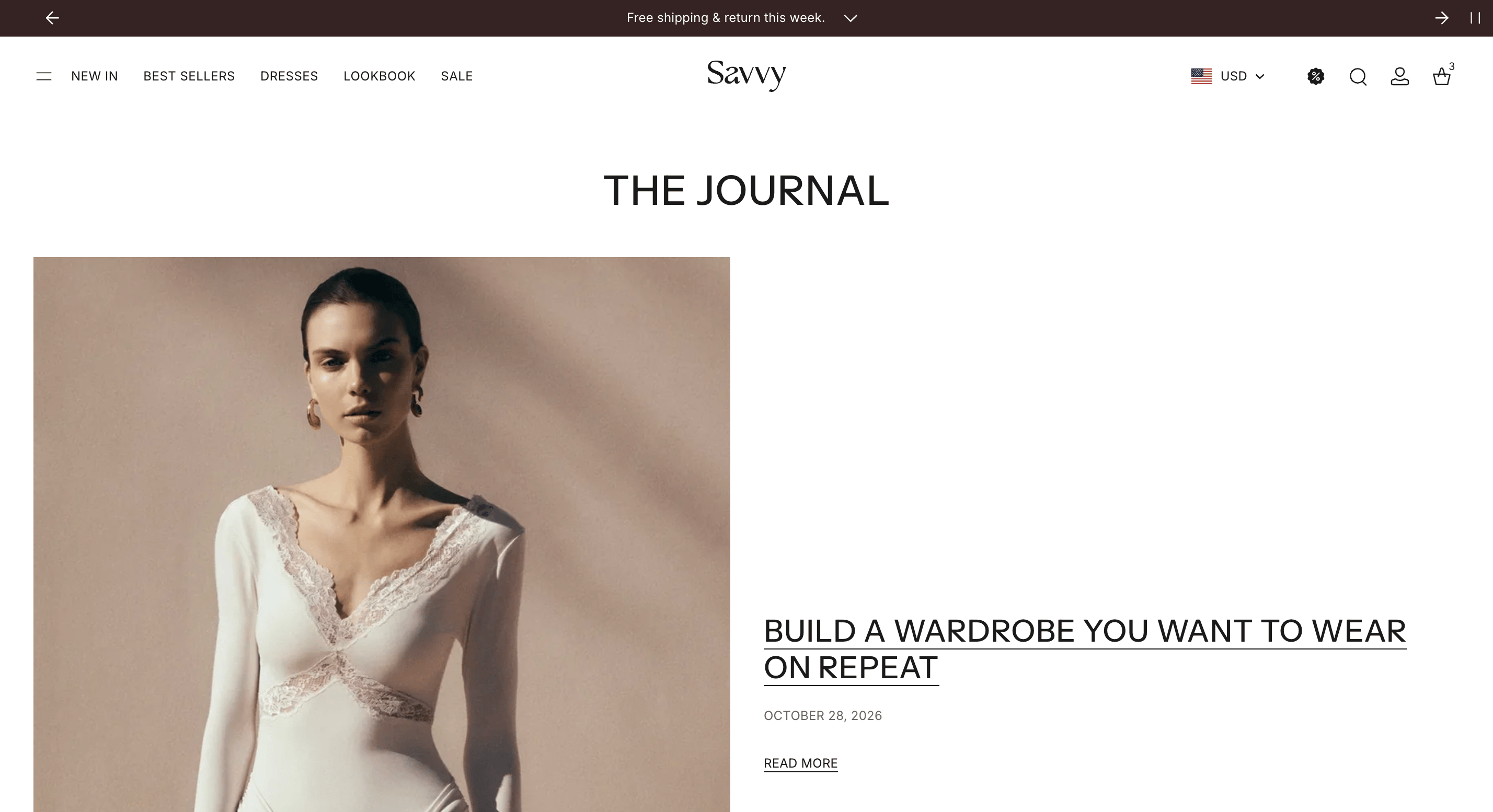
In the Shopify Theme Editor, open the Blog page template and select Blog to edit its settings. Changes appear in the preview. Click Save to publish them.
Blog
-
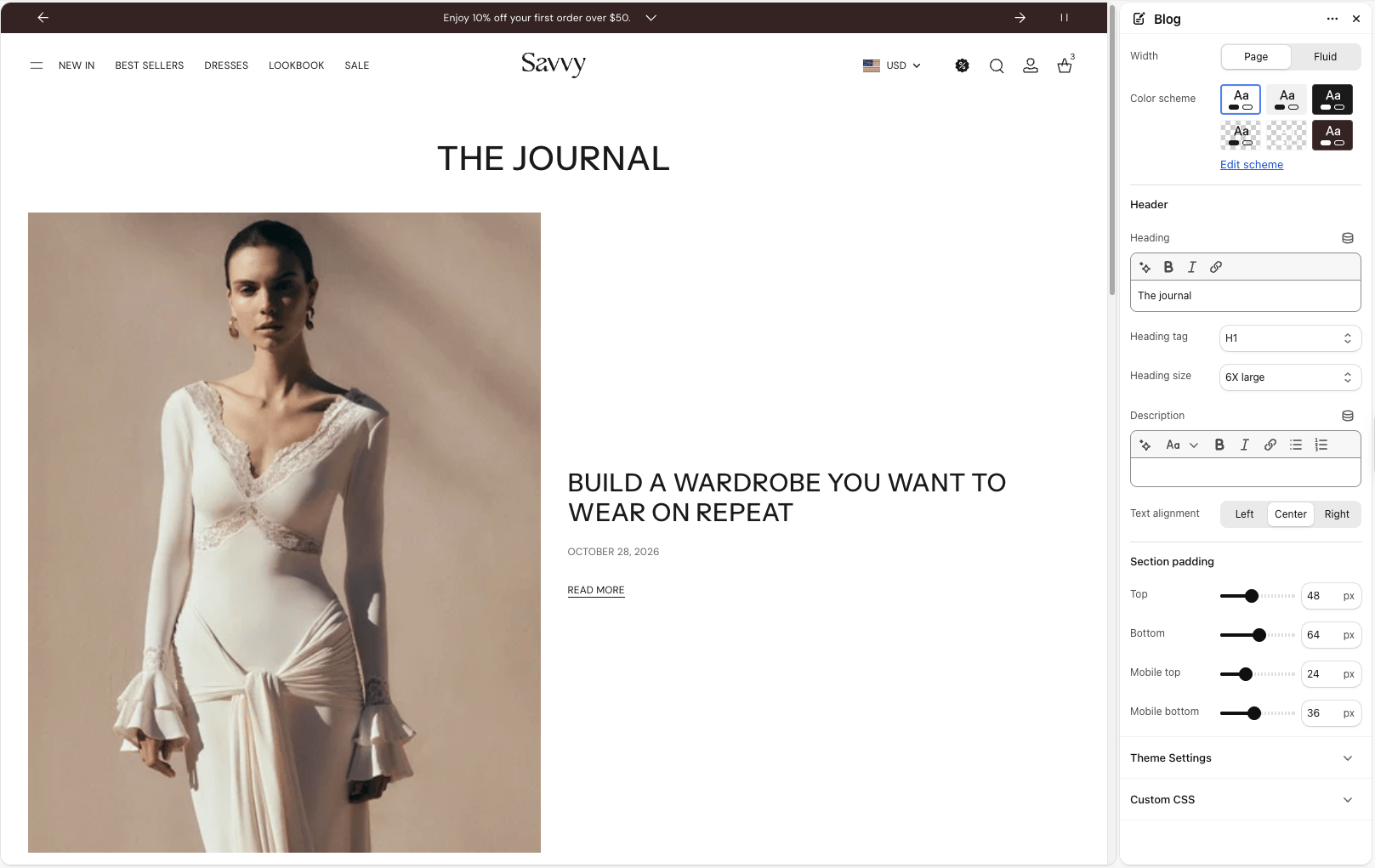
Width: Choose how wide the section appears on the page.
- Page: Keep the section within the theme’s page width.
- Fluid: Expand the section to use more available horizontal space.
- Color scheme: Choose the color scheme used by the section. The available color schemes depend on the color schemes configured in Theme settings.
Header
- Heading: Enter the blog heading.
- Heading tag: Choose the HTML heading level used for the heading, from H1 through H6, div, span and p.
- Heading size: Control the visual size of the heading independently from its HTML heading tag. Available sizes range from Large, Extra large, 2X large to 10X large.
- Description: Add supporting text for the blog page.
- Text alignment: Align the blog header content Left, Center, or Right.
Section padding
Set the space around the blog header separately for desktop and mobile.- Top: Control the space above the section on desktop.
- Bottom: Control the space below the section on desktop.
- Mobile top: Control the space above the section on mobile.
- Mobile bottom: Control the space below the section on mobile.
Featured post
Use this block to highlight a blog post above the full list of posts.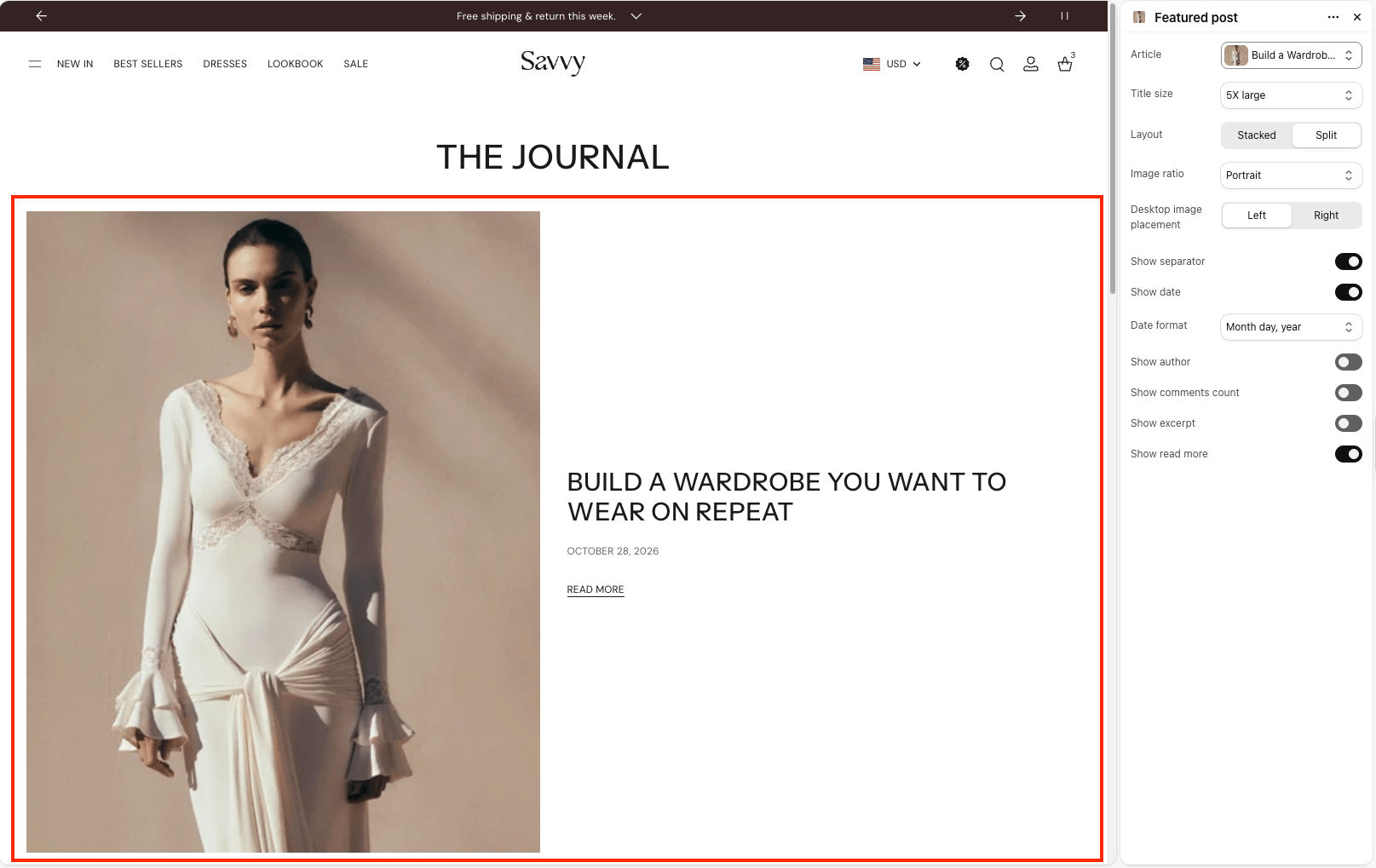
- Article: Choose the post to feature.
- Use the latest article when no featured article is selected: When enabled, if no article has been selected in the “Article” setting above, automatically use the latest post.
- Title size: Choose the size for the featured post title from Medium large, Extra large, 2X large to 6X large.
- Layout: Choose the layout for the featured post: Stacked or Split.
- Stacked: The post image is stacked with the post information. When selected, you can choose:
- Image ratio: Choose the ratio for the featured post image. Available options include Adapt to image, Landscape, and Wide.
- Split: The post image is split from with the post information. When selected, you can choose:
- Image ratio: Choose the ratio for the featured post image. Available options include Adapt to image, Square, Portrait, and Landscape.
- Desktop image placement: Place the post image on the Left or Right.
- Stacked: The post image is stacked with the post information. When selected, you can choose:
- Show separator: Show a separator below the featured post.
- Show date: Display the post date.
- Date format: Choose the publish date format:
- Month day, year
- Abbreviated
- Numeric
- Day month year
- Date format: Choose the publish date format:
- Show author: Display the post author.
- Show comments count: Display the number of comments.
- Show excerpt: Display a short preview of the post.
- Excerpt length: Choose 8–60 characters.
- Show read more: Display a read-more link.
Blog posts
These settings control the list of posts below the featured post.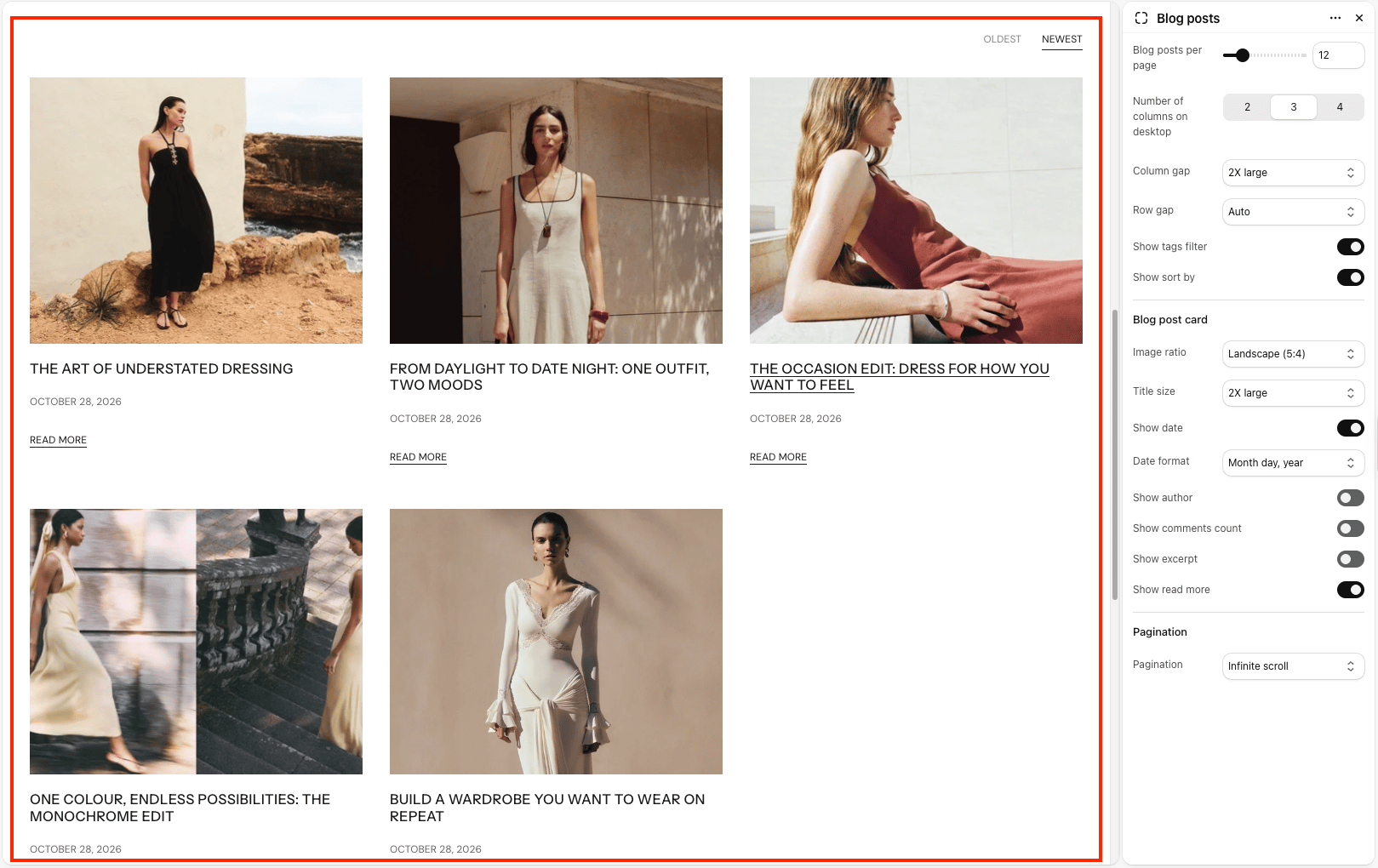
- Blog posts per page: Choose 4–48 posts.
- Number of columns on desktop: Choose 2, 3, or 4 columns.
- Column gap: Choose the space between columns. Available options:
- None
- 2X small
- Extra small
- Small
- Medium
- Large
- Extra large
- 2X large
- Row gap: Choose the space between rows. Available options:
- Auto: Same as the column gap value set above.
- None
- 2X small
- Extra small
- Small
- Medium
- Large
- Extra large
- 2X large
- Show tags filter: Let readers filter posts by tags.
- Show sort by: Let readers sort the posts by newest or oldest.
Blog post card
Choose which details appear on each post card.- Image ratio: Choose an image ratio for post cards. Available options:
- Adapt to image
- Square (1:1)
- Portrait (4:5)
- Portrait (3:4)
- Portrait (2:3)
- Landscape (5:4)
- Landscape (4:3)
- Landscape (3:2)
- Title size: Choose a size for blog post title. Available options:
- Medium large
- Large
- Extra large
- 2X large
- 3X large
- 4X large
- Show date: Display the post date.
- Date format: Choose the publish date format:
- Month day, year
- Abbreviated
- Numeric
- Day month year
- Date format: Choose the publish date format:
- Show author: Display the post author.
- Show comments count: Display the number of comments.
- Show excerpt: Display a short preview of the post.
- Excerpt length: Choose 8–60 characters.
- Show read more: Display a read-more link.
Pagination
Choose how readers load more blog posts:- Pagination links: Show page links so readers can move between pages.
- Load more: Let readers load more posts using a button.
- Infinity scroll: Load more posts as readers scroll.