

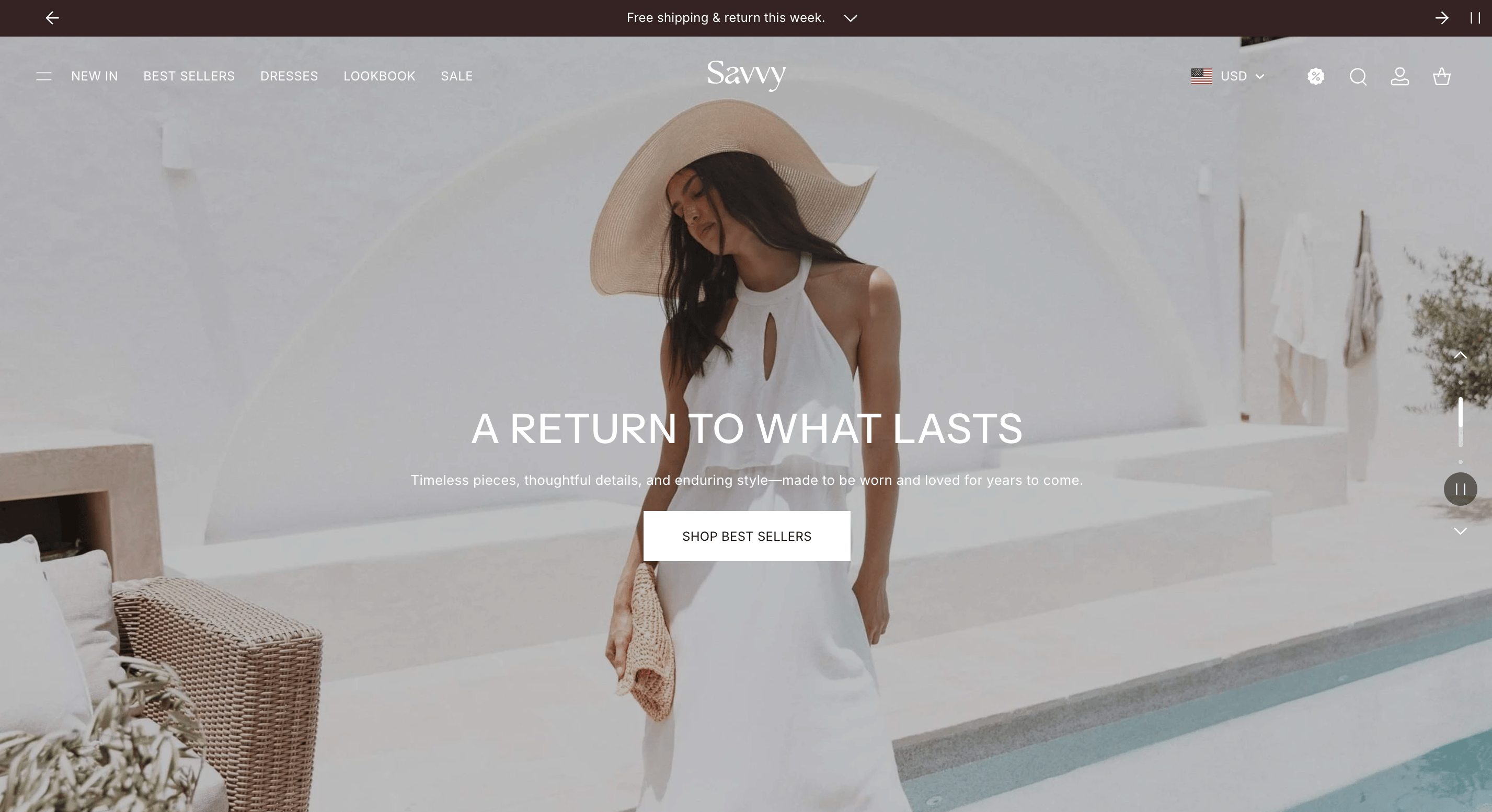
In the Shopify Theme Editor, choose Sections, move over the Header group, add or select Announcement bar to edit the section. Changes appear in the preview. Click Save to publish them.
Section settings
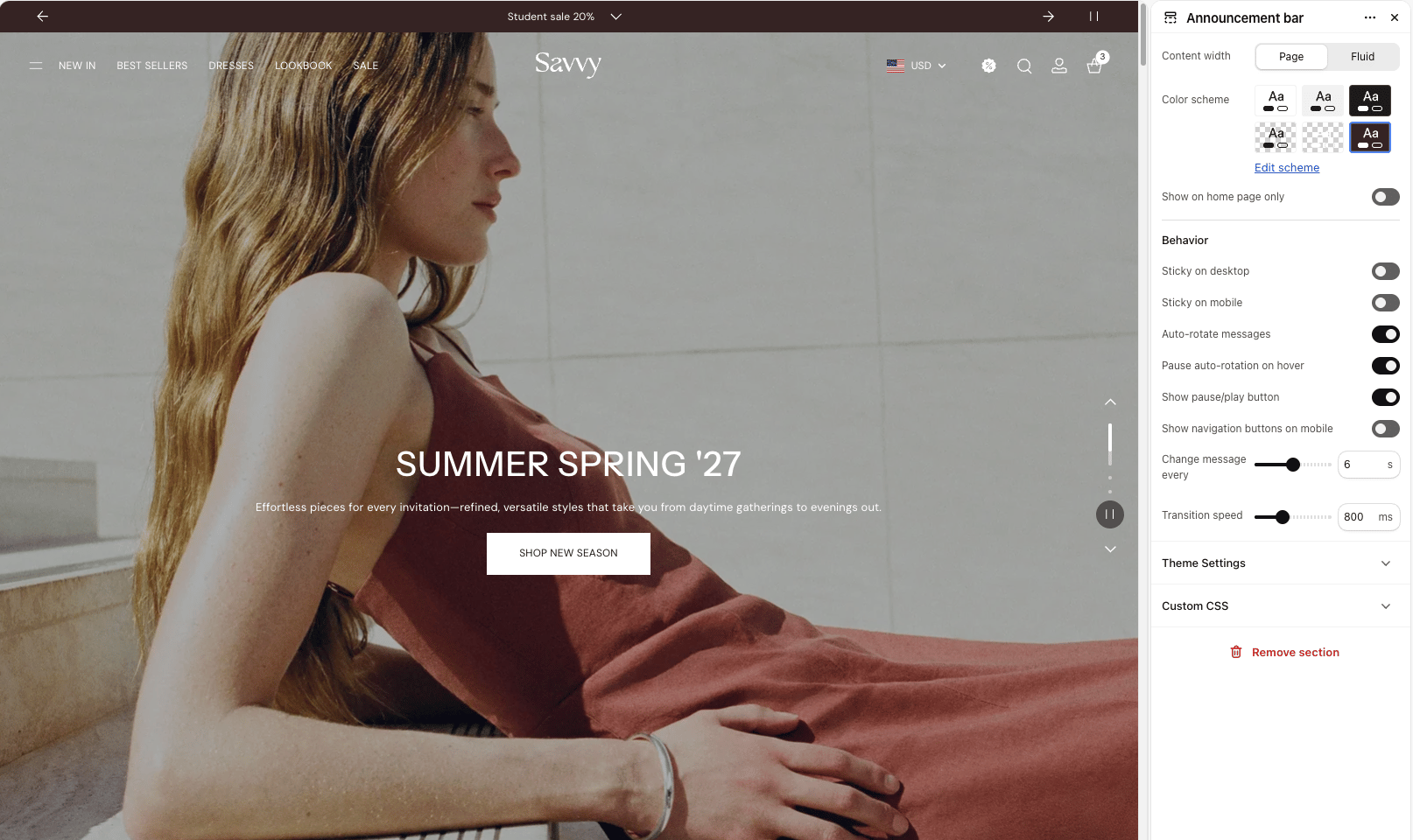
- Content width: Control how wide the announcement content can appear.
- Page: Keep the announcement content within the same content width as the main page.
- Fluid: Allow the announcement content to extend across the available width.
- Color scheme: Control the background and text colors of the announcement bar. Choose a color scheme that provides enough contrast between the message and its background.
- Show on home page only: Control whether the announcement bar appears only on the homepage.
- Sticky on desktop: Keep the announcement bar visible while customers scroll on desktop.
- Sticky on mobile: Keep the announcement bar visible while customers scroll on mobile.
- Auto-rotate messages: Automatically switch between multiple announcement messages. When enabled, you can also configure:
- Pause auto-rotation on hover: Pause automatic rotation when the customer moves their cursor over the announcement bar.
- Show pause/play button: Display a play/pause control that allows customers to manually pause or resume automatic announcement rotation.
- Change messages every: Control how long each message is displayed before switching to the next one, range from 3–10 seconds.
- Show navigation buttons on mobile: Display navigation buttons on mobile when the announcement bar contains multiple messages. Enable this setting to let customers manually move between announcement messages on mobile devices.
- Transition speed: Control how quickly the announcement bar transitions from one message to another, range from 300–2000ms.
Block settings
Announcement
Announcement blocks contain the individual messages displayed in the Announcement Bar.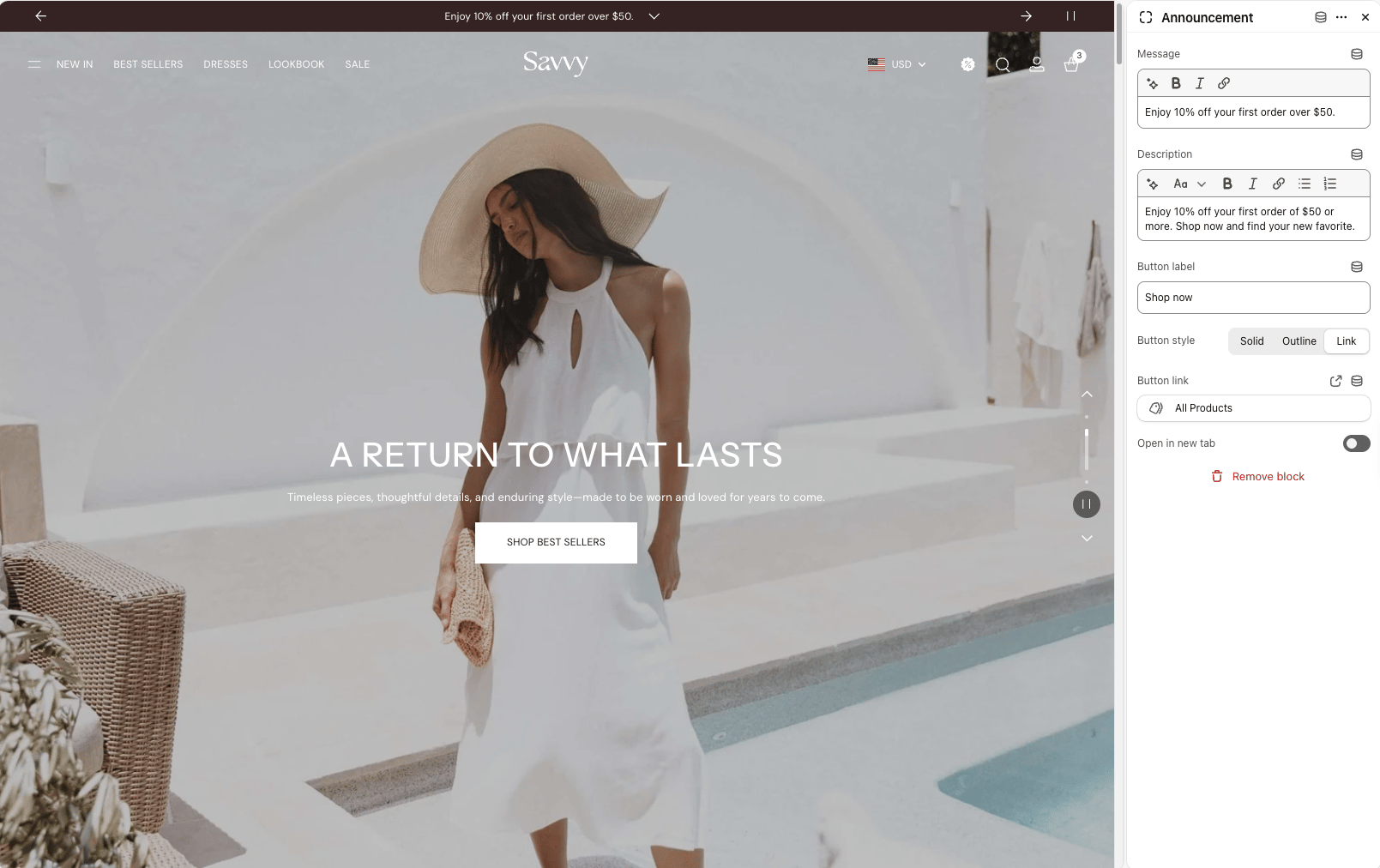
- Message: The main message displayed in the announcement bar.
- Description: Additional supporting text for the announcement. Use this when you need to provide more context without making the main message too long.
- Button label: Enter the text displayed on the button. Leave it blank if you don’t want to add a button to the announcement. When filled, you can configure:
- Button style: Choose Solid, Outline, or Link.
- Button link: The page customers are taken to when they click the button.
- Open in new tab: Opens the linked page in a new browser tab instead of the current tab.